Business Tips
Team Deskworks
November 18, 2026
One person can run a coworking space, in person, remotely or a combination of the two, if you have the right workspace software and systems in place.
Here are 10 strategies to run a space with one person from Barbara Sprenger, founder of Deskworks and Satellite Workplaces.
Running a coworking space with one person means the space has to keep working during every hour, whether staffed or not. A space staffed from 9 to 5 on weekdays has someone on site 40 hours a week, and a week has 168 hours. The other hours depend on systems: members who get into their authorized spaces with their own credentials, cameras that can see if there’s an issue, the ability to grant access remotely if needed, and bookings and payments that happen online. Get those in place, and the one person's time goes to members, tours, and sales instead of the front door and bookkeeping.
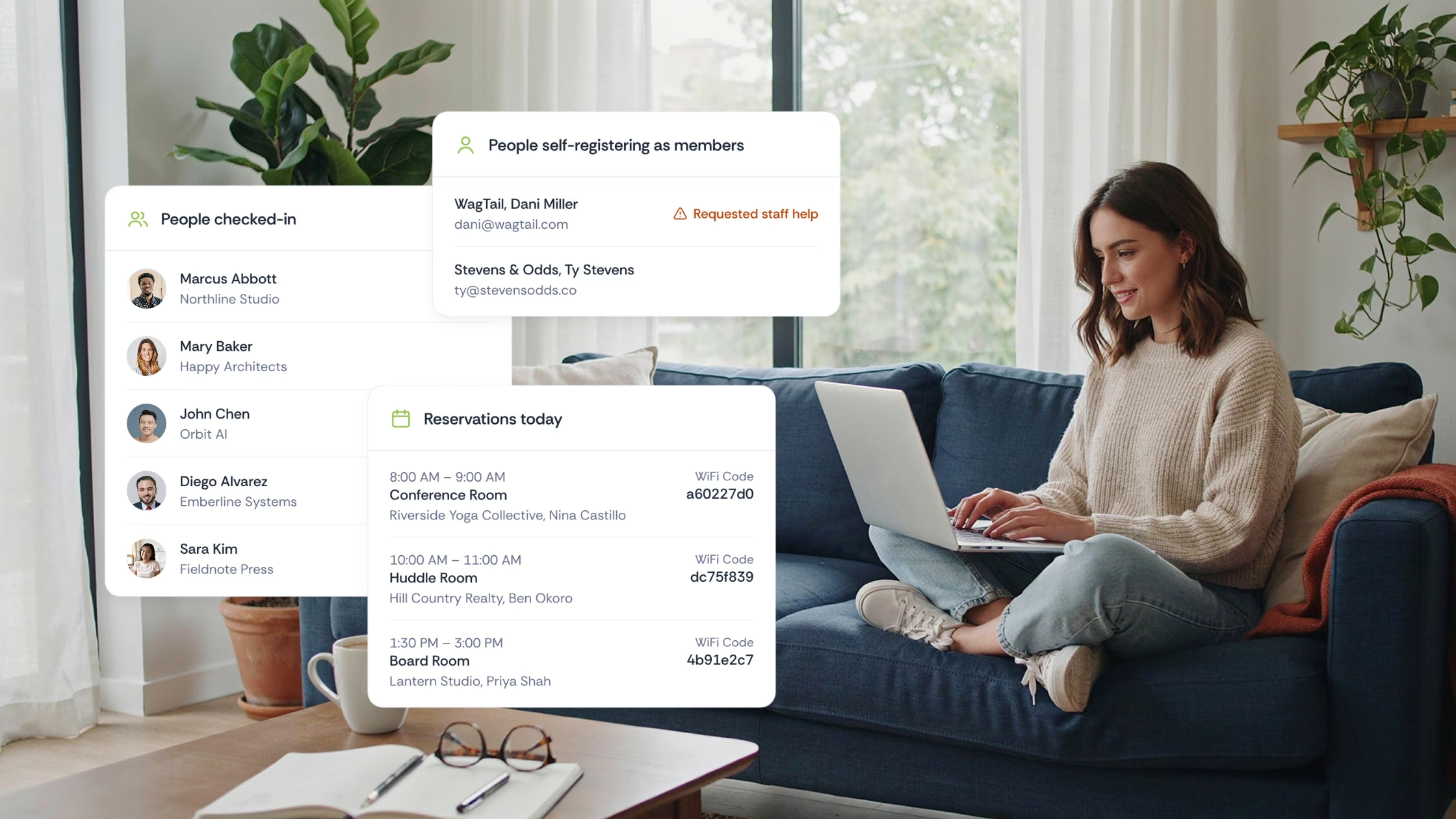
Your software needs to give you a clear view of what's happening in your space at any time, from wherever you are. You need real-time information about who is in the space, any access or security issues that may come up, income for the month, accounts receivable, membership plans, billing questions etc. And you need to be able to do this quickly and easily.
That information needs to be up-to-the-minute. If you're running a space remotely, having data from yesterday or last week isn't much help for something pressing right now.
Having long term data on your workspace software is, of course, essential, but that's only one piece of the equation. Make sure your space management software gives you real-time access to information and member usage. On the money side, reports and dashboards that track full-time occupancy, on-demand utilization, and revenue breakdowns show how the month is going without a trip to the office.
It's essential that you can quickly contact everyone in the space if necessary, even if your space is currently unstaffed. Do you have an easy way to message all members, as well as all members who are in the space at any given time?
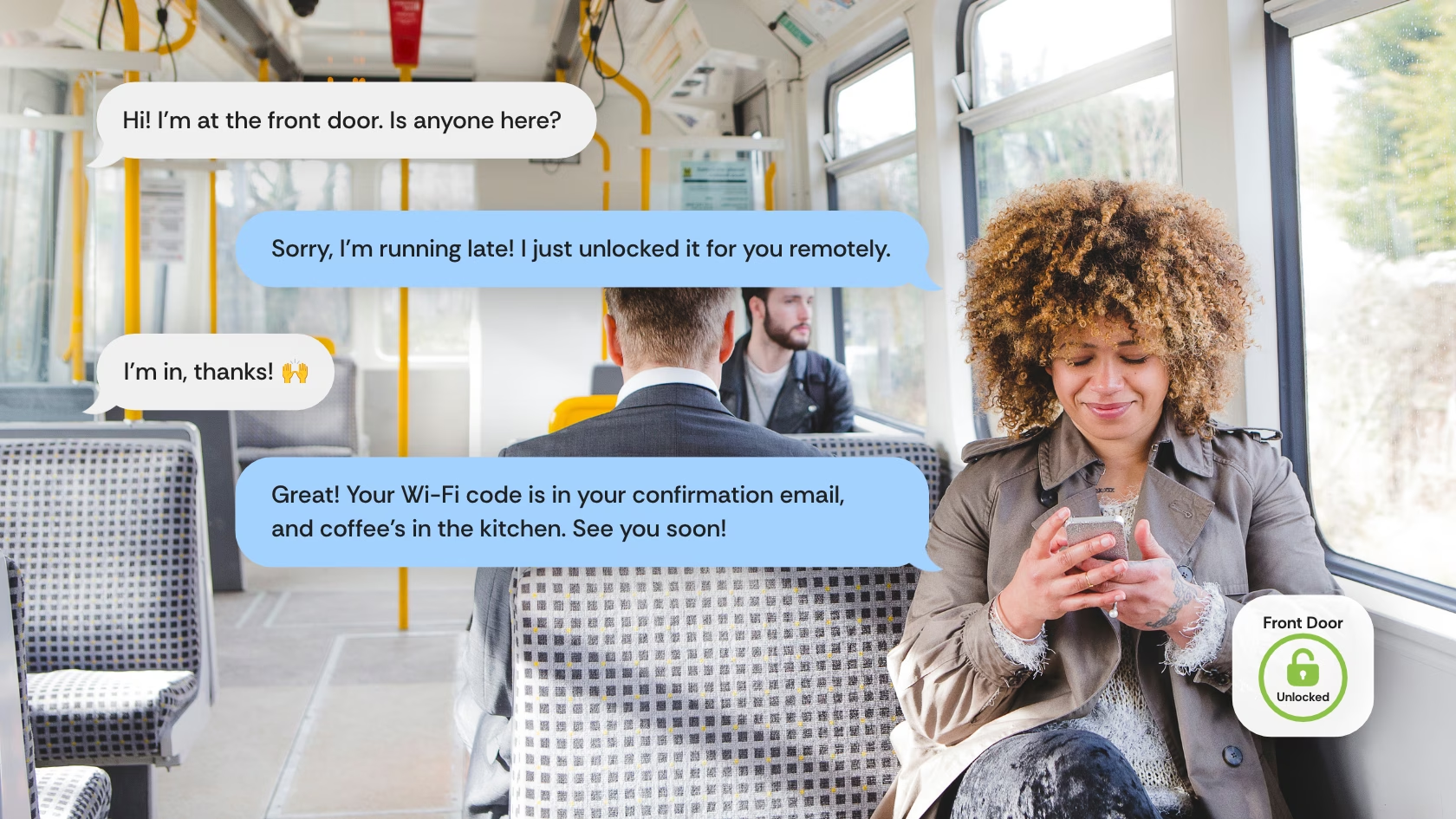
If someone gets locked out of the space or their office, you need to be able to give them access to the space remotely. This is true for members, as well as non-members who may be using your conference room or other meeting space.
Barbara has had to do exactly this. A non-member had booked a conference room outside staffed hours, and the community manager was stuck in traffic. As she tells it in How to Scale Your Coworking Space, "We were able to unlock doors and let them in remotely. Otherwise, we would have had a very unhappy person." Our guide to remote access and access control systems covers the options.
To run a space remotely, you need to have a phone system that forwards to wherever you are. You can then answer any questions that may arise because you have all the member, plan and workspace info in front of you online.
If someone has a big project that requires expanded bandwidth, you need to be able to adjust bandwidth on-the-fly, and charge accordingly for it. Building bandwidth options into your membership plans means the charge is already set when the request comes in.
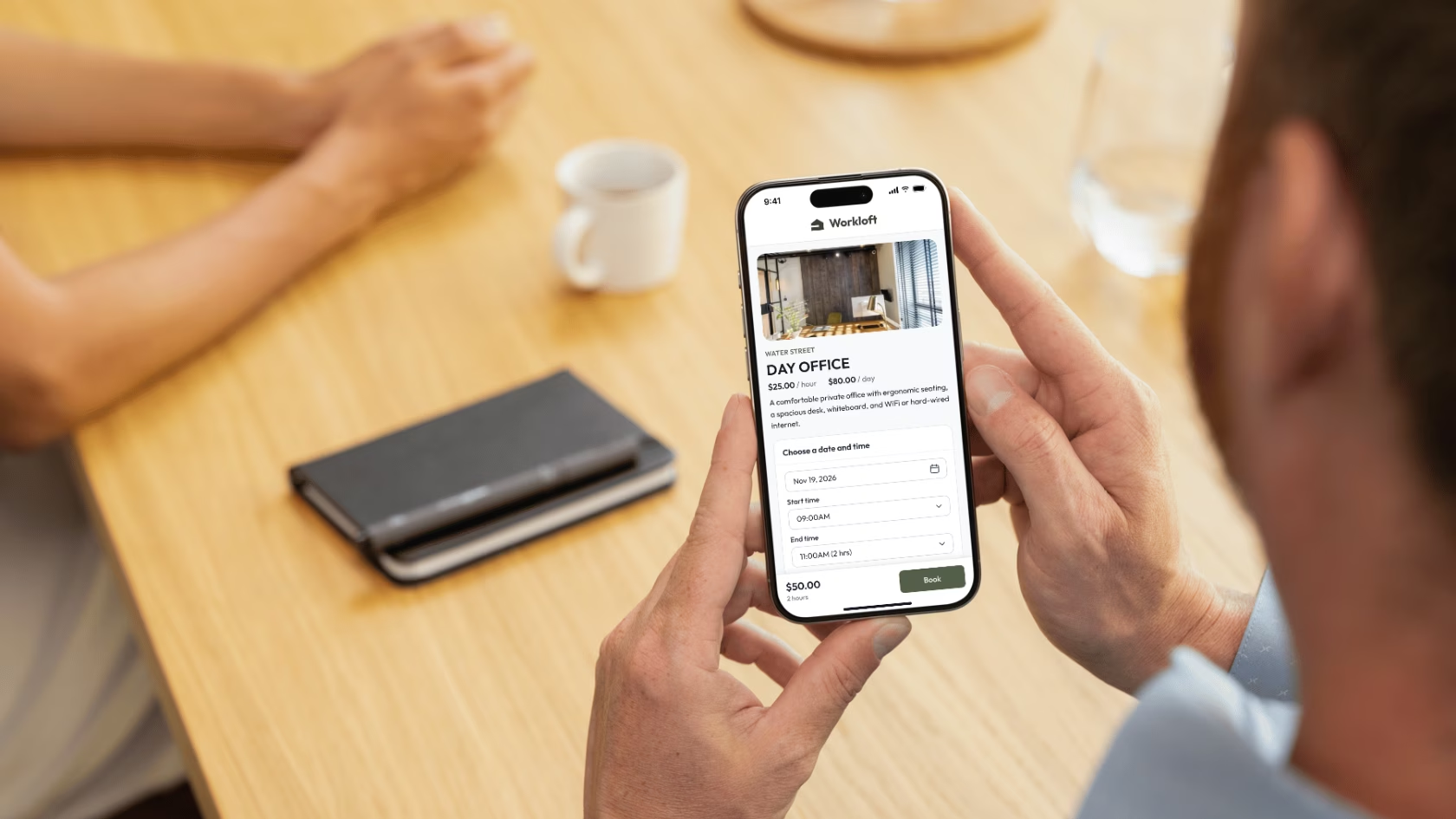
Deskworks enables quick and customizable booking directly from your website (or wherever you'd like). Can non-members book your meeting space remotely? Can they do it intuitively and easily? The Satellite makes meeting room space available to non-members only during regular business hours, but your policies can be different.
With limited staffed hours you need to have flexibility with your staffing. One strategy is to have a part time community manager, a system to run your space with remote visibility, and additional support to call in, if needed.
Part-time help only works if they can make decisions without you. Barbara's advice from scaling Satellite applies here too: have clear, concise manuals so you can train people easily and replicate your processes. "You have to codify processes so people can make decisions without your involvement."
Automation will save you time, energy and money. Automate as much as possible in your space, including keyfob or phone app access, self-sufficient members, self-service reservations, virtual tours, automated billing, aggregator tracking and simple printing systems.
New members can sign themselves up, too. Deskworks can generate a self-registration link for any membership plan, which you can link on your website or send straight to a lead.
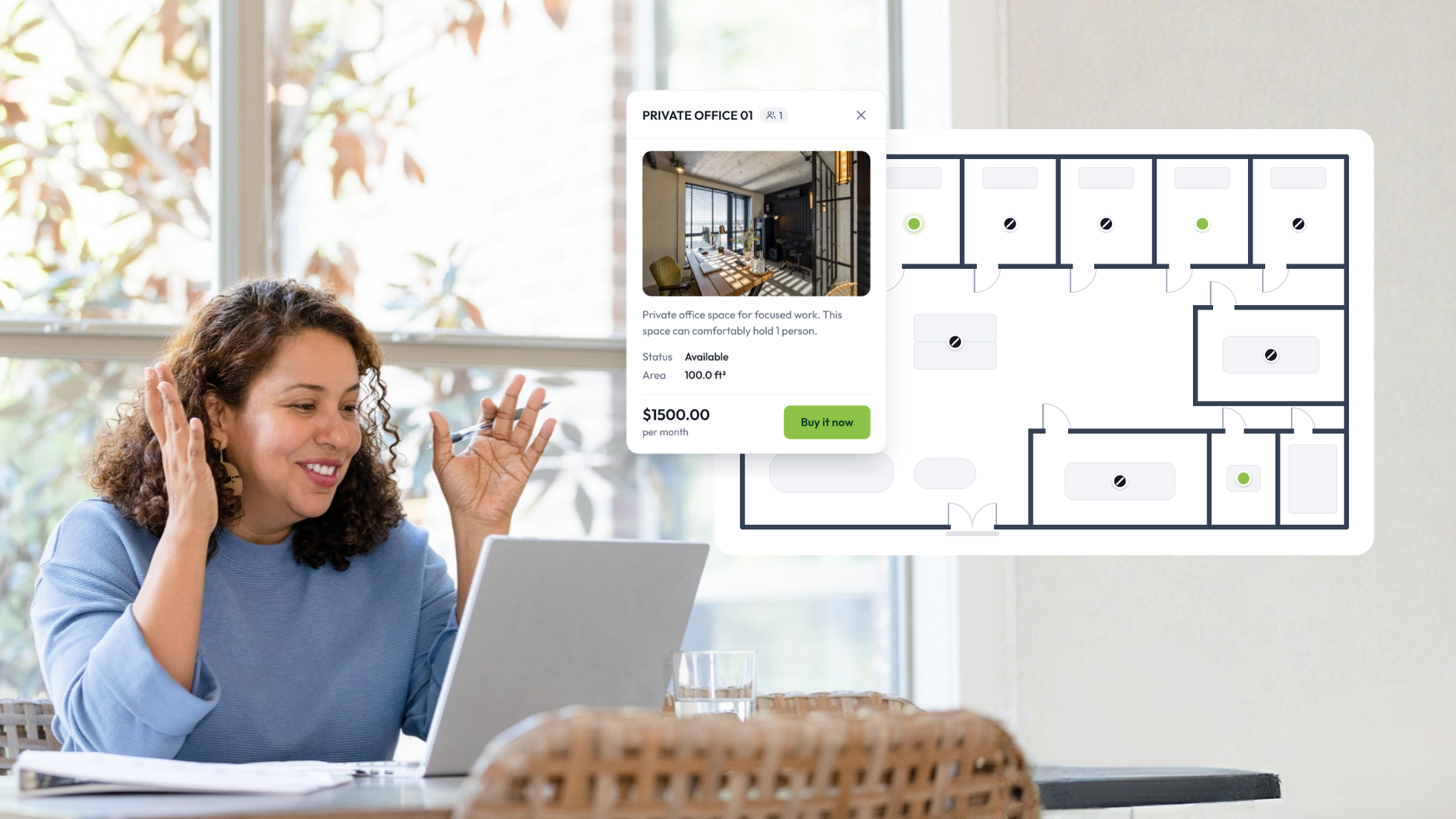
Work with people as much as possible by phone or Zoom to close a sale. You can give virtual tours, answer their questions, send them documents and check credentials remotely. An interactive floor plan doubles as a tour tool online, so prospects can see what is available before they ever visit.
Do everything you can to keep yourself, your staff and your members healthy and well. When you are the only person running the space, that includes planning for your own time off, and our checklist for taking time off covers what to set up before you go.
Deskworks takes over the jobs that used to need someone at the front desk, which is what lets you automate your coworking space instead of staffing it.
One owner or manager can run three to four small spaces in an area remotely, says Barbara Sprenger, founder of Satellite Workplaces. 'Beyond that, you need someone who manages the community managers, something like a district manager.’ Running one space with one person is the first step toward that, because every system that runs the first space without you also runs the next one. As spaces grow, it is advisable to have one staff person on site during working hours, but they can certainly take breaks and holidays.
With Intelligent Network Check-In, a non-member can buy a day pass right from your Wi-Fi splash page, and they are disconnected automatically when the pass expires. Each reservation also gets its own Wi-Fi access code that works only during the booked time. On the door side, a day pass can map to a lobby-only access group, so an unstaffed coworking space never hands out a key.
Yes, when access is enabled based on each member's plan rather than who is at the front desk. At Satellite Workplaces, "Working Hours" access starts at $205 a month and Unlimited 24/7 open coworking at $225, so round-the-clock access is a plan tier members pay for, not a staffing cost.
Business Tips
Team Deskworks
November 18, 2026
See how Deskworks helps coworking operators grow revenue while staying people-first.
Book a Demo

Deskworks is simple, powerful coworking management software built to automate your operations, capture every dollar of revenue, and give you more time to focus on your community.